
Your test is sleeping. The webhook already arrived.
A sleep is a guess about someone else's latency. Wait for the request itself: the test returns the moment the webhook lands, and fails loudly when it never does.
 Quentin Mousset3 min read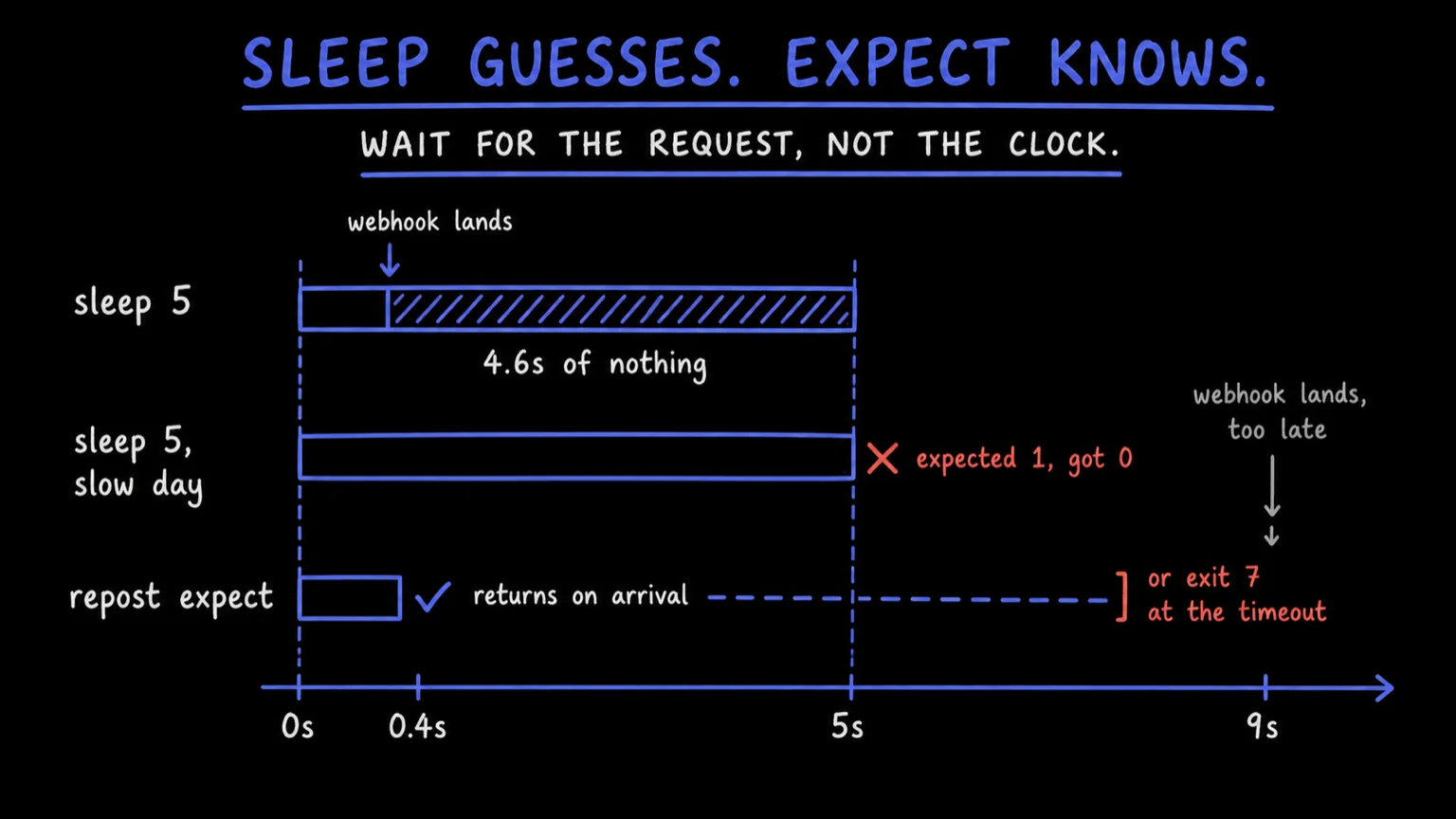
Somewhere in your integration suite there is a sleep(5) waiting on a webhook. It usually
lands in 400 ms, so most runs throw away four seconds. Every so often it takes nine, and the test
fails on expected 1, got 0, which tells you a row is missing and nothing about why.
That sleep is not a wait. It's a bet on latency you don't own: the provider's queue, the network, whatever else the runner is doing that second. Those numbers move. Your sleep doesn't.
The usual patch is to raise it. That buys a greener suite and a slower one, and the day the webhook genuinely never arrives, the failure reads just as badly.
Wait for the request, not the clock#
repost expect blocks until a webhook matching your filter arrives in a
bucket, then exits the second it lands.
One line of JSON on stdout, exit 0. The event_id it carries is your handle
for whatever you want to look at next, down to the delivery
chain.
acme-hooks is a bucket: the inbound endpoint your provider posts to, and the
same one your laptop reads from once you've
dropped the tunnel.
Three ways to say which request you mean, and they stack. --method POST
matches the verb, case-insensitively. --path '/stripe/*' matches the path as
a shell glob. --filter takes a small field query with AND, OR, NOT and
parentheses over method, path, content_type, event_id and bucket_id.
Only --bucket is required. --timeout defaults to 30s and takes durations
like 45s or 2m (every flag).
Start the wait before you trigger#
Here is the rule that will bite you once. The observe stream has no
backfill: expect sees what arrives after it
connects, and nothing before. Open it after the trigger and you're waiting on a
webhook that already came and went.
So the waiter goes first, and the thing that provokes the webhook goes second.
set -euo pipefail

# the stream has no backfill, so connect before anything can arrive
repost expect --bucket acme-hooks --method POST --path '/stripe/*' --timeout 45s > matched.json &
waiter=$!

./scripts/create-test-charge.sh

wait "$waiter"wait returns the exit status of the background job, so the script fails when
and only when the webhook didn't show up.
Be precise about what a green expect proves: a matching request reached your
bucket. Whether your handler ran, and what it wrote, is still yours to assert.
What changed is that the part you couldn't control stopped being a guess.
When it never arrives#
When nothing matches before the deadline, expect exits 7 and writes the
reason to stderr. On a runner, stdout is a pipe rather than a terminal, so the
CLI is already in JSON mode and the failure comes out machine readable.
7 is the timeout code across the whole CLI, so a script can branch on it
without parsing English. And the failure finally names the thing that went
wrong: the request never arrived. expected 1, got 0 only ever told you a row
was missing, several layers downstream of the reason.
expect asserts, tail watches#
tail is the neighbor command, and it answers a different question. It streams
matching events as NDJSON, one object per line, and stops on --count or
--max-wait. Either way it exits 0. It reports what it saw. It doesn't judge.
One request you require: expect. A handful you want to look at, or a live
view while you poke at something by hand: tail. It has no --path or
--method, so those conditions go in --filter. Both commands are covered in
Wait for events.
Put it in the pull request job#
name: integration
on: pull_request

jobs:
  webhooks:
    runs-on: ubuntu-latest
    env:
      REPOST_TOKEN: ${{ secrets.REPOST_TOKEN }}
    steps:
      - uses: actions/checkout@v4

      - name: Install the Repost CLI
        run: curl -fsSL https://releases.repost.sh/cli/install.sh | sh

      - name: Wait for the provider callback
run: ./scripts/expect-charge.shREPOST_TOKEN takes priority over anything stored on the machine, which is why
the same script runs on a fresh runner and on your laptop
(CI & automation). It's also the job where
repost schema generate --check belongs: both fail the pull request instead
of the deploy.
So stop timing the wait. Name the request you're waiting for, and let its arrival be the thing that ends it.